
Monitoring a Competitor's Pricing Page? Plan for the Day They Redesign It
Screenshot diffs get noisy and CSS-selector scrapers go silent the moment a page is redesigned — WebDoppler instead tracks a structural fingerprint of what you're watching and always alerts you the moment it loses confidence, instead of quietly reporting nothing.
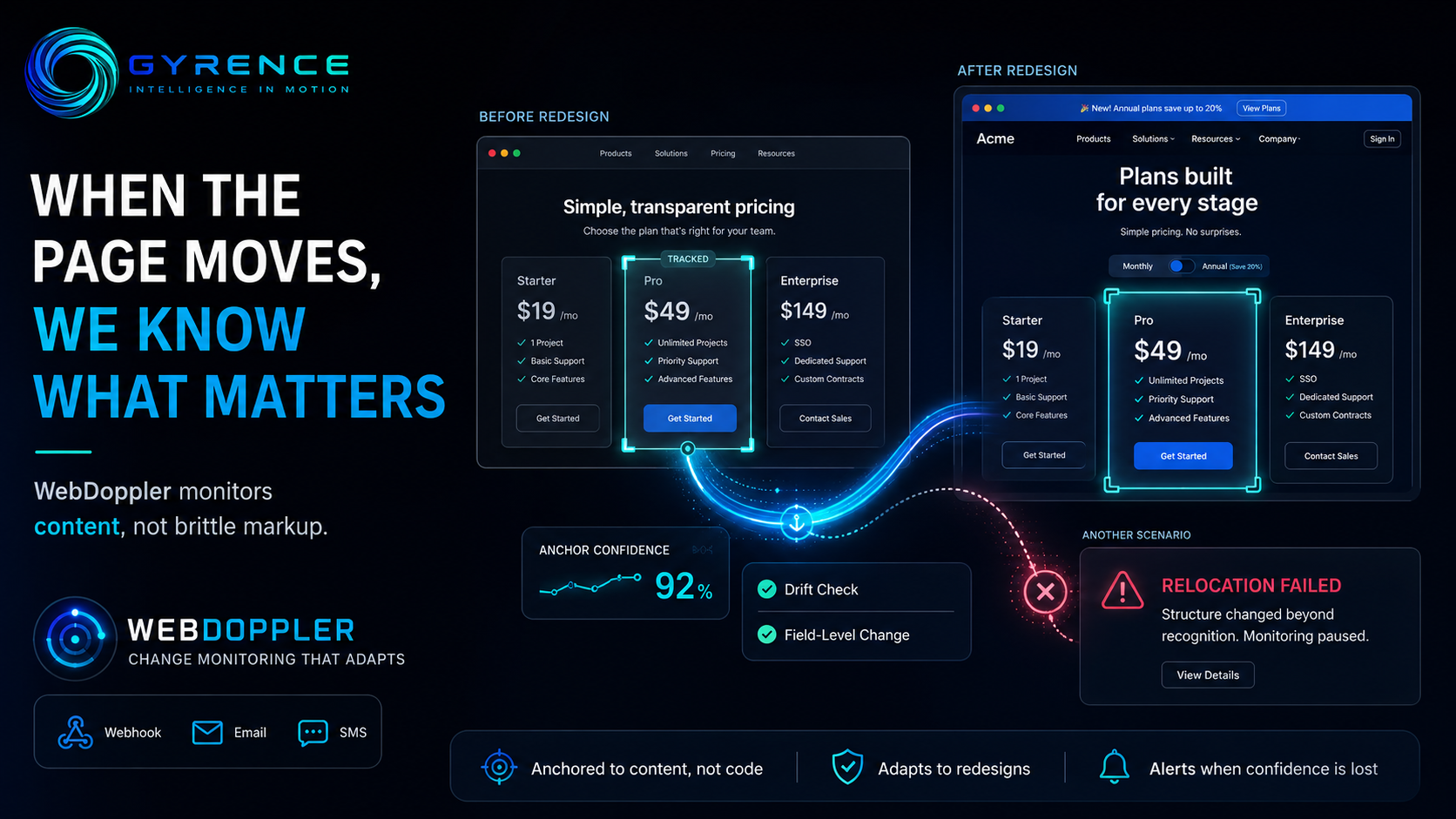
Say you want to track a competitor's pricing page. The naive approach is a script that fetches the page on a schedule and diffs the raw HyperText Markup Language (HTML) against yesterday's copy. It works for about a month. Then the competitor ships a redesign — new class names, a reordered layout, an extra promotional banner — and one of two things happens. Either the diff fires on every cosmetic change (the banner rotates, an ad network swaps a pixel, a timestamp in the footer updates) and you start ignoring the alerts, or your script was pinned to a specific CSS selector that no longer matches anything, and it just... stops. No error, no alert. You find out three weeks later, when you happen to check the page yourself, that you've been "monitoring" a blank result the whole time.
That second failure mode — silent breakage — is the more dangerous one, and it's the problem Gyrence's change-monitoring product, WebDoppler, is built around.
Anchoring to content, not to markup
When you register a WebDoppler monitor, you give it a URL, a label, and a plain-English description of what you actually care about (an "extraction intent" — something like "the price and plan name for each pricing tier"). Instead of hard-coding a CSS selector — a pattern that targets one specific element by its class or ID, and breaks the moment that class or ID changes — WebDoppler builds a structural fingerprint of the element it locked onto: its tag path, its attributes, the text around it, and its position on the page.
On every subsequent check, WebDoppler tries to relocate that fingerprint in the current version of the page, even if the underlying markup has shifted. It scores its own confidence in that relocation, from 0 to 100, against a threshold you can configure (40 by default). Most of the time the page has moved just enough — a wrapper div added here, a class renamed there — that the fingerprint still finds its target and the check proceeds normally.
But when a redesign is big enough that WebDoppler can't confidently relocate the anchor, it doesn't fail silently. It returns an outcome of relocation_failed, and — unlike a routine "nothing changed" result — that outcome always triggers an alert. You get a notification that says, in effect, "I lost track of the thing you asked me to watch, come look at this," rather than quietly reporting stale or empty data as if everything were fine.
A second check for quiet failures
Relocation confidence catches redesigns. It doesn't catch everything that can go wrong with a scheduled fetch — a bot-detection wall serving a stripped-down page, a JavaScript error that leaves the page half-rendered, a temporary server hiccup that returns an almost-empty document. For that, WebDoppler runs a separate drift check on every run: it compares this run's content length, link count, and extracted-field count against the trailing median of its last ten healthy runs. If any of those metrics collapses by more than a configurable percentage (50% by default), the run gets flagged, so an empty or broken page doesn't get scored as "unchanged" just because nothing in it looked different from an equally broken previous run.
Filtering signal from noise on the changes that do land
For runs that succeed normally, WebDoppler first computes a cryptographic content hash (a short fingerprint of the page's text, generated with the SHA-256 algorithm) to cheaply confirm nothing changed at all — most checks end here. When the hash does differ, it produces a field-level change signal: a list of what specifically changed, from what value to what value. If you've turned on screenshot capture, it also runs a pixel-level visual comparison between the before and after images, but discards anything under a 1% difference threshold so a shifted ad or an antialiasing artifact doesn't count as a "change." Optionally, a large language model — software trained to read and summarize text — generates a short assessment of how material the change looks and what it recommends you do about it.
When a monitor does detect a real change, WebDoppler can notify you three ways: a signed webhook call to an endpoint you control (a webhook is an automatic notification sent over the internet to a URL you specify, so your own system can react immediately), an email, or a text message.
Beyond pricing pages
The same setup — a URL, a plain-language description of what to extract, and a threshold for how confident the tool needs to be before it trusts its own results — applies to anything you'd otherwise write a brittle scraper to watch: regulatory guidance pages, product spec sheets, staffing or leadership pages, terms-of-service documents. The pricing-page example is just the easiest one to picture a redesign breaking. The point is the same regardless of what you're watching: a monitor that can tell you when it doesn't trust its own reading is worth more than one that never says so.