
Turn a Docs Site Into a Knowledge Pack Your Agent Can Actually Use
Gyrence's Gyre primitive walks a documentation site and returns one clean, citable markdown record per page, with legal pages, pagination traps and near-duplicates filtered out and failures listed separately.
Most teams building an agent on top of someone else's documentation start the same way: write a crawler, point it at the docs root, dump everything into a vector store, and hope the retrieval step sorts it out. It rarely does. The agent ends up quoting the cookie policy, citing page 7 of a tag archive, or retrieving the same paragraph four times because a vendor publishes identical content under three different paths.
The problem isn't the model. It's that the corpus was never shaped for a model to read. This post walks through using Gyrence's Gyre primitive to turn a small documentation site into a clean, citable knowledge pack an agent can work from directly.
What Gyre does
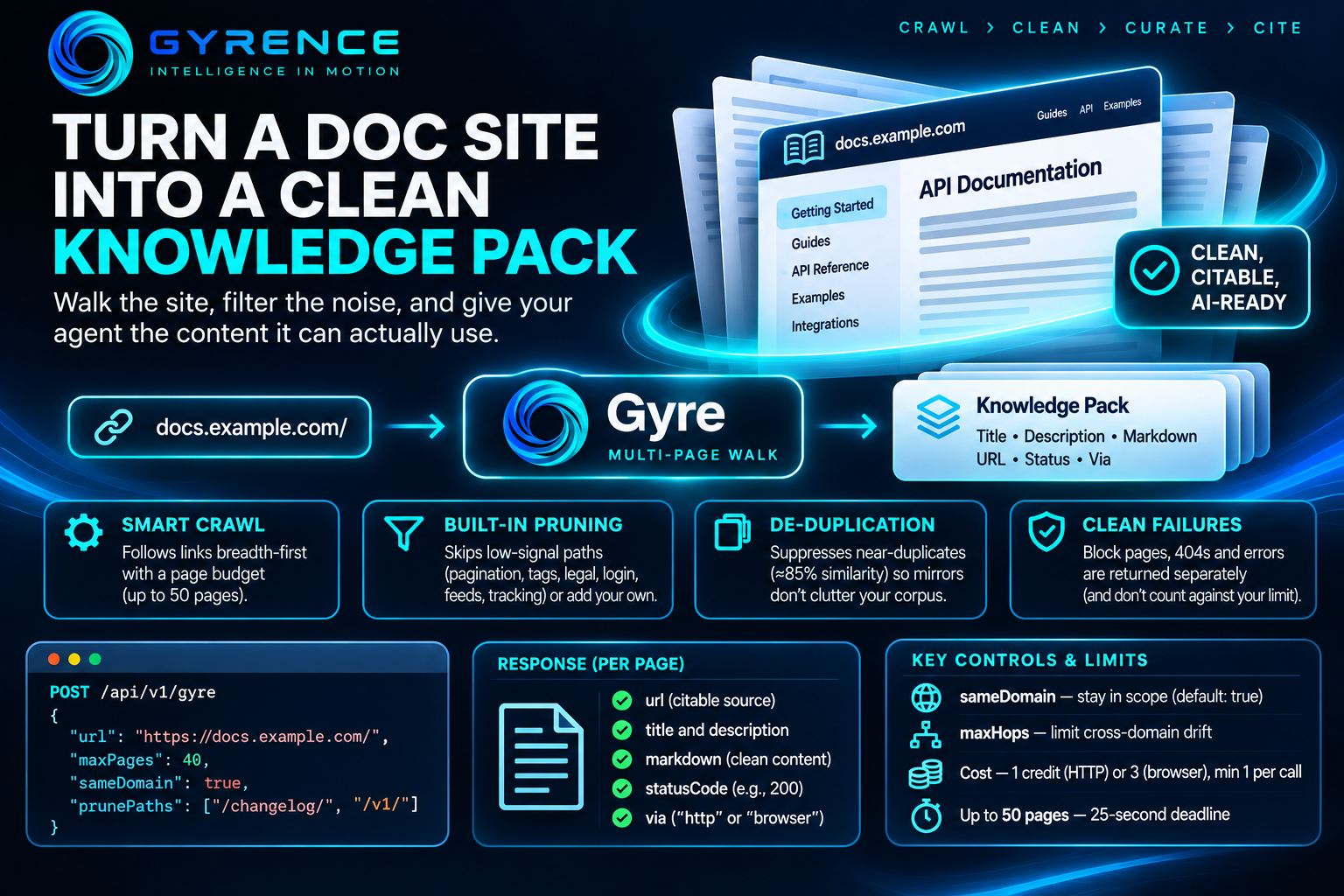
Gyre is Gyrence's multi-page walking primitive. You give it a seed web address, and it follows links outward breadth-first, fetching each page as it goes, until it hits a page budget or runs out of links. It's exposed as POST /api/v1/gyre.
The request is small:
{
  "url": "https://docs.example.com/",
  "maxPages": 40,
  "sameDomain": true
}
The response is a list of pages, and each one carries exactly the fields an agent needs and nothing it doesn't:
url, the absolute address of the page, which becomes your citationtitleanddescription, taken from the page's title tag and meta descriptionmarkdown, the main content of the page, run through the same extraction pipeline as Gyrence's single-page Fetch primitivestatusCodeandvia, which tell you the origin's response code and whether the page came from a plain web request or a headless browser
There's no raw page markup (HyperText Markup Language, or HTML) to strip. Every page arrives as title, summary, body and source, which maps directly onto how you'd chunk and label it for retrieval-augmented generation (where an agent looks up relevant passages before answering).
Keeping junk out of the corpus
Formatting for a model is as much about what you leave out as what you keep. Gyre makes three choices on your behalf that most homegrown crawlers don't.
It prunes low-signal paths before fetching them. Gyre ships with a default prune list covering pagination traps (?page=, /page/), taxonomy loops (/tag/, /category/, /author/), legal pages (/privacy, /terms, /cookie), sign-in and checkout flows, and feed and tracking paths. Those addresses never enter the queue, so they never use up budget and never end up in your index. You can add your own patterns with prunePaths, for example ["/changelog/", "/v1/"] to skip an outdated version of the docs. If you really do want those paths, allowPrune: false turns pruning off entirely.
It suppresses near-duplicates. Gyre fingerprints each page's markdown using simhash, a technique that produces similar fingerprints for similar text. When a page is roughly 85% or more similar to one it has already fetched, Gyre stops following that page's outbound links. The page is still returned, but mirrored sections don't multiply across your crawl, so fewer redundant chunks compete for the same retrieval slot.
It stays in scope. sameDomain defaults to true and matches the exact hostname, so a crawl seeded at docs.example.com won't drift onto example.com's marketing pages. If you need to cross a boundary, say to a separately hosted application programming interface reference, set sameDomain: false and limit the drift with maxHops, which caps how many domain boundaries a branch can cross from the seed.
Failures stay separate from content
The quickest way to poison an agent's knowledge base is to index a block page or an error screen as if it were documentation. Gyre keeps those apart. Each page runs through the same two-tier fetcher as Fetch: a plain web request first, escalating to a headless browser when the page is a JavaScript shell, returns a soft block, or rate-limits. Pages that return a 404 or trip the block-page detector go into a separate errors[] array as { url, error } pairs. They don't count against maxPages, and they're never mixed in with pages[].
That gives you a coverage report for free before you index anything.
Check the publisher's stated preference
If the pack will feed an artificial intelligence (AI) system, it's worth checking whether the publisher has said anything about that use. Gyrence's Fetch primitive returns a contentSignals object on every successful response, parsed from the site's robots file. It includes an aiInput value that says whether the operator allows their content to be used as real-time input to an AI system. The values are "yes", "no", or null when the operator hasn't stated a preference. Gyrence reports these signals without acting on them, so fetching the seed page once before the walk is a cheap way to record your decision alongside the corpus.
Budget and limits
Gyre bills per page that succeeds: 1 credit for a page served over a plain web request, 3 for one that needed the browser, with a minimum of 1 credit per call. A single call walks up to 50 pages within a 25-second deadline. There's no maxDepth parameter, so depth comes from breadth-first order and the page budget. Query-string variants count as separate pages, so prune tracking parameters you know about.
For a larger site, use Map first to discover the full set of addresses without fetching content, then run Gyre from the sections that matter.
The result
A Gyre response is close to a finished knowledge pack: one record per page, each with a citable address, a title, a short description and clean markdown, with legal pages, pagination and mirrors filtered out and failures listed separately. You skip the cleanup scripts.
You can try a walk from the console at gyrence.com/app/gyre, or read the full parameter reference in the Gyre documentation.